Public beta · Building with our players

A second screen for Dungeon Masters who want to keep the magic at the table.

Tableward is a live companion tool for tabletop RPGs. Show your players the map, the monsters, and the moment — while you stay in control behind the screen.

No credit card. Free during beta. Cancel by closing the tab.

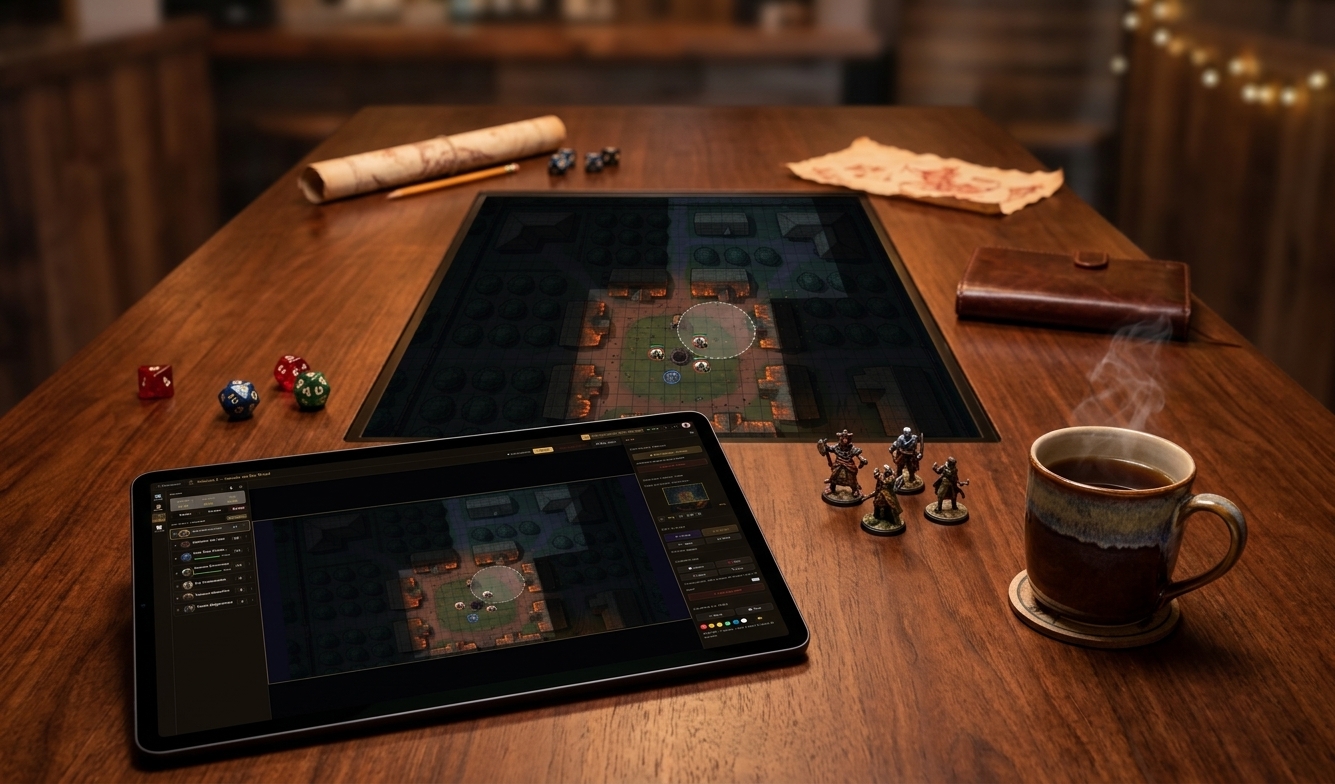
A DM's setup: laptop showing a dungeon master interface, tablet showing the synced player map, dice and notebook on a warm wooden table
— Our philosophy —
"Tabletop RPGs are about people sitting around a table — or a Discord call — telling a story together. We don't want to replace any of that. We want to take the boring parts off the DM's plate so the good stuff has more room to breathe."

Tableward isn't a map builder or a content factory. It's where the content you already have — maps, images, video — becomes playable. Add fog, drop tokens, place a few props, and run the scene. One-shot or full campaign, it's the notebook open in front of you while the dice are rolling.

Built by DMs, for DMs
How DMs use it

Three ways, one tool.

Wherever you play, the job is the same: you stay focused on the game, and Tableward handles the admin so the session runs smooth and immersive.

At the table · big screen

TV or projector for the table.

You run the session from a laptop or tablet. A TV on the wall — or a projector onto the table — shows the live player view: the map, the tokens, the fog peeling back as the party walks into the room. You keep the DM panel; they get the spectacle.

At the table · second screen

No TV? A second screen still works.

Stand a spare monitor or tablet in the middle of the table and let it carry the context your players need — initiative order, party sheet, the villain's portrait, the current map. Your DM panel stays private; everything they should see stays in sync.

Fully online

Discord, Zoom, anywhere.

Share the player link with everyone. They open it in a browser — no account, no install. As you reveal map sections, place tokens, or zoom into a creature's portrait, they see it live.

What you get in the beta

Everything you need for next Tuesday's session.

Only what's live in the app today. The workbench section below covers what's still being shaped.

Sessions & Campaigns

  • A personal dashboard with all your campaigns
  • Run multiple parties or settings side by side
  • Each session has its own player join link — share once, your party uses it every week

Battle Mode

  • Initiative tracker — roll, sort, reorder, jump turns
  • Track HP, conditions, and status per token
  • Quick-adjust health on the fly (damage, healing, temp HP)
  • Group enemies (Goblin × 6) and manage them as a unit

Maps

  • Drop in any image — a hand-drawn dungeon, a Photoshop map, a screenshot
  • Rotate, crop, and calibrate a grid right in the browser
  • Fog of war — reveal areas with a click, hide them when the party leaves
  • Adjustable grid color and opacity to match the art

Character & Creature Tokens

  • Upload portraits for player characters and NPCs
  • Place tokens on the map and drag them around live
  • Personal token library — reuse your favorites across sessions
  • Auto-match tokens to grid scale

Live Player View

  • One link, no account required for players
  • Anything you publish appears instantly on their screen
  • Works on phones, tablets, laptops, TVs, projectors

Built for the way DMs work

  • Touch-friendly — tap, drag, pinch. Built for tablets and hybrid setups.
  • Light and dark mode — easy on the eyes, whatever your room looks like.
  • Private staging area — set things up without spoiling
  • One-click publish when you're ready to show the room
  • Keyboard shortcuts for the things you do most
Inside the app

A look at the table.

Real screenshots from a session in progress — click an image to enlarge, or use the arrows to browse.

DM view

The DM's seat.

Fog of war, initiative, conditions, second-screen preview — everything you reach for during a session, one click away.

On the workbench

What we're shaping next.

The beta is free during this phase. AI features are limited per week so we can keep the lights on while we build. We'll be honest about what's stable and what's still being shaped.

  • AI-generated character & creature tokens

    Describe a monster, get a portrait. Goodbye, googling for art mid-session.

    Early access
  • AI-generated map objects

    Drop a chest, a torch, a stone circle — conjured straight from a prompt.

    Early access
  • Session intros & recaps

    A cinematic opener for your players. A written recap after the game.

    In development
  • Atmospheric lighting & ambient sound

    A red flicker for fire. A thunderclap on cue. A music shift when combat starts.

    Concept
  • Scene presets

    Save a whole atmosphere — music, light, sound — and switch with one click.

    Concept
  • Discord integration

    Push initiative updates, session recaps, or turn reminders straight to your server's channel.

    Concept
Who it's for

You'll recognize yourself here.

For first-time DMs

You shouldn't need a degree in software to run your first game. Tableward gives you a single place to keep your maps, your monsters, and your player view. The interface stays out of your way so you can stay in the story.

For experienced DMs

You've already got your prep workflow. We slot into it — bring your own maps, your own art, your own tokens. We just make the night smoother: live sync to the player screen, an initiative tracker that doesn't fight you, fog of war that actually feels good to use.

For players (yes, you)

You don't need an account. Your DM sends a link, you click it, you see the map. Phone, tablet, TV — anywhere. Especially helpful if you're new to the hobby: the visuals make the world easier to picture, and combat much easier to follow.

Pricing

Free during beta.

Tableward is free while we're in beta. There are fair-use limits — generous enough for a weekly campaign, tight enough that no single user can run up our hosting bill. When we leave beta, we'll introduce a paid tier for heavy users and AI features.

Join the beta — it's free
FAQ

Questions DMs actually ask.

Is this a map builder or VTT?
No. Tableward isn't where you draw maps or model encounters from scratch — it's where you make the content you already have playable. Drop in your map (image or video), add fog, tokens, props, and run the scene from the DM's seat.
What's it actually for?
Showing content at the table. Preparing a session, running the battle from a DM's perspective, doing the aftermath, and carrying the thread from one session into the next. It's your DM notebook during play.
One-shots or full campaigns?
Both. Use it for a single evening, or string every session of a long campaign together in one place — notes, maps, NPCs, recaps — all connected.
What media can I bring?
Images and video for maps, scenes, and tokens. Bring what you already have — animated maps, reference art, custom tokens — Tableward plays it.
Does it work on a tablet?
Yes. The whole interface is touch-friendly — tap, drag, pinch. Built for iPads, Surface, and any tablet browser. You can run an entire session without a keyboard.
Light or dark mode?
Both. Toggle between light and dark to match your room and your eyes — especially handy when you're running by candlelight or in a bright living room.
Do I need to install anything?
No. It runs in any modern browser.
Do my players need an account?
No. You share a link, they open it.
What game systems does it work with?
Anything that uses a grid map, tokens, and initiative. D&D 5e, Pathfinder, Call of Cthulhu, homebrew — you name it.
Can I use my own maps and tokens?
Yes. Bring your own art. We don't lock you into our library.
Does it work offline?
No — it's a live cloud tool. If your table doesn't have wifi, we're not the right fit.
What's the AI for?
Optional shortcuts. If you don't have a portrait for the monster you just dropped in, the AI can make one. Everything else is yours.
Is my data private?
Your campaigns, sessions, and uploaded art are yours. Player join links are unguessable. We don't sell anything.
What happens when beta ends?
Free tier stays. Paid tier unlocks higher limits and AI features.
Join the beta

Ready to run a smoother session?

Drop your email. We'll send you a link to the beta and the occasional honest note about what we're building. Questions? beta@tableward.app

Free during beta · No spam · 500 characters left